banner_slide_img1

Loebig Ink is a small business consulting firm
fueled by coffee, creativity and music to provide
SEO, web design and social media solutions.

Personal Branding SEO

How to Increase Your Visibility on the Internet

If you own a business or are an entrepreneur, you know how important it is to be visible online. But are you making the most of your efforts? It is easy to allow some simple actions to get past you that can really help your personal brand. Let’s take a look at some ways you can avoid leaving opportunity on the table.

Key Points to Maximizing Your Personal Branding Power

  • Create your own personal brand website.
  • Fill out your social media profiles completely and consistently.
  • Get listed in the niche directories that cover your field.
  • Boost your visibility with listings in local directories and review sites.
  • Join business networks like BNI and chambers of commerce.
  • Begin blogging on your own site or as a guest contributor.
  • Create fresh content with online engagement.


Mavericks on the Move Live Talk Show, Baltimore, MD – 2018

Waller Executive Institute for Personal Branding Workshop, Washington, DC – 2017

 Your Website

Creating your own website might seem like a no-brainer for someone who wants to get seen on the internet. However, it could be a daunting prospect for someone who is not tech savvy or is just getting started. Thankfully, there are ways to start out with an easy-to-manage, low cost website. Wix is a great example of a platform that makes your website easy to build. A basic Wix site is free. You will pay a small fee when you connect to your domain name. The option of choosing more bells and whistles is always there when you wish to expand the site.

About.me is a useful, free one-page website that you can make your own. It is an excellent way to get your name and information out to people who want to find you. About.me brings together the professional and the personal. Think of it as your postcard to the world on the web.

Social Media

One of the most, if not the most important thing to remember about social media for personal branding SEO is to fill out your profile completely and consistently. Decide on a primary location, phone number, and how you will present your address. On each social media site, link to as many other social media sites of yours that you are able. Here are a few that are particularly useful for personal branding:

LinkedIn has one of the highest visibilities for a personal name search. It not only gives you the chance to connect with others who are also on the business platform, but may be one of the first links to come up when someone Googles you.

Twitter is also very highly ranked in Google. When completing your profile, add hashtags that someone looking for you would be likely to use in their search. Make sure to include the specific location of your business, even though you may be, or aspire to be national or international. Make sure to provide the link to your website, and when you have a message you want to highlight, pin the tweet to the top of your page to give it more views.

Meetup.com is another very good, but often missed chance to get the word out about who you are and what you do. Post a nice photo of yourself. Meetup allows you to link to three other social media platforms, so make sure you do.

Have you explored NextDoor.com? This is a site with a very local focus. You will need to be invited onto the site, and then you will be able to join a group that includes your immediate neighborhood. NextDoor is good for helping neighbors find a lost dog, report on a crime concern, or get the word out on the weekend yard sales, but it can also do more. Simply knowing those who live nearby is good for word-of-mouth business. You can also have a business page on NextDoor, which makes it easy for others to refer you when asked for a recommendation.

Niche Directories

Find out which directories cover your field and get listed. Because they are well established, in some cases your profile in an industry-specific directory such as Wedding Wire, Avvo, or Houzz may come up in a search above your own website. One good way to discover niche directories is to think of the keywords you would most like to rank for. When you Google those terms, take note of which free directories come up first. You will want to sign up for those. There is something to be said for “Barnacle SEO,” i.e. attaching yourself to something bigger than you are. Take advantage of that ready-made internet trust!

Local Directories

It is also incredibly helpful to boost your visibility with review sites and other local directories. Get listed on sites like Yelp, Google My Business, Angie’s List, and Bing. If your business already appears in a directory, claim the listing and fill out the profile completely. Some shy away from review sites for fear of bad reviews. It is by far better to be a presence and to respond quickly and publicly to any negative feedback rather than to hide your head in the sand. Take the reins and create a positive image.

Bonus tip: In local directories, your business name should be just that – your business name only. Adding extra SEO keywords will earn you a demerit from Google. Save your search terms for the description.

Business Networks

Join one or more of your local or regional chambers of commerce. A single backlink to your website from a chamber of commerce is great for SEO. It may seem expensive, but chambers of commerce are high traffic, high trust websites and your own online trust score will benefit. Even if you have to pay a little extra to include your logo with your listing, go for it. The extra visibility is worth it.

Apply to join a BNI near you. When you fill out your Business Network International profile, include details such as your top product and your ideal referral. Be sure to take advantage of the many connections and benefits available to you as a member of a BNI chapter.

Remember that aside from its social aspect, MeetUp.com is also a great place for business networking. See which meetups relate to your specialty and get involved. If you don’t find any that quite work for you, start your own. If you build it, they will come.

Blogging

Google has over 200 ranking factors to determine what content and web pages rise to the top of user search results. These ranking signals fall into three main categories; website technical factors, fresh quality content and high authority backlinks. From a personal branding SEO perspective, blog writing addresses the quality content piece of that puzzle and can propel ones personal brand to new heights.

A personal blog is what we normally think of when creating content from an SEO perspective, but guest blogging is an even lower hanging piece of fruit. Search for blogs that mirror your personal passions and business interests and discover if the blog owner offers opportunities for guest blog writing. To maximize the impact of guest blogging from a personal branding SEO perspective focus on these elements when researching opportunities:

  1. Ensure the blog has an author attribution profile where users can find out more about the author through “active links” to your personal branding website and/or social media profiles.
  2. Evaluate the “authority score” of the blogs and choose the ones with the highest authority score. The higher the authority score of the website, the more visibility your post will have on the Internet.
  3. Choose a blog that is directly related to the topic you are writing about. It is better to write a blog about social media on SocialMediaExaminer.com than it is to write that same article on PsychCentral.com.

Online Engagement

Google loves fresh content. Repurpose your work: If you make a video, use some of that same material to write an article. If you have a speaking engagement, upload your PowerPoint presentation to SlideShare. Creating a good blog and posting consistently is an excellent way to show up in Google’s ranks. Guest blogging also boosts your profile and can help you reach new audiences. When you don’t have time to tackle original material, make time to follow and comment on others’ related work. Be sure you are logged in via your Gravatar, Twitter, Facebook, or provide your web link so the connection is made. Here are some great ways to increase your online engagement which will exponentially increase your visibility:

  1. Follow EVERYONE you know on Linkedin and take 5min each day to like, comment and/or share content from your connections.
  2. Change your Facebook personal profile header photo once a month. Facebook’s algorithm prioritizes profile photo and banner image changes so that more of your followers will see it! [Keep your profile pic consistent across your online profiles however so that people start noticing your smiling face everywhere] 🙂
  3. Comment on your favorite, most read blogs, podcasts and news stories. The author will appreciate it and your comments can actually drive viewers to your own online profiles.

Get to Work!

Once you get through the task of choosing your focus and the image you want to show the world, many of the steps you need to take toward personal branding SEO begin to reveal themselves. It is almost impossible to overemphasize how important it is to find or create relevant profiles and fill them out consistently and completely. So many people neglect to do so, that simply by including all your information, a photo, and a logo wherever possible, you are already ahead of the pack. Get to work and make it easy for customers, collaborators, and fans to find you!


 

Chamber of Commerce SEO

Did You Know? Joining a Chamber of Commerce is Great for SEO!

Chamber of Commerce SEO

Consider joining a chamber near you and enjoy the benefits to business and online visibility.

Another great perk is that chamber of commerce membership gives you a business directory backlink to your website that has excellent SEO value. Chambers of commerce are strongly trusted on the internet and can lend that credibility to your site as well. Moz and Majestic measure this through Trust Flow and Citation Flow. According to majestic.com, “Trust Flow is one of the Majestic Flow Metrics, which is weighted by the number of clicks from a seed set of trusted sites to a given URL, or Domain.” Citation Flow, in comparison, “is weighted by the number of citations to a given URL, or Domain.” Essentially, the higher the Trust Flow and Citation Flow, provided that both are relatively in balance, the more reputable the website.

Gaining backlinks from high-quality sites helps to increase these positive metrics on your own site and increase your website’s visibility in Google searches.

Here is a useful list of regional chambers along with their Trust and Citation Flow metrics and annual fees. Even if you weren’t planning on taking advantage of all the other benefits, the positive impact on your SEO might be well worth the price.

Loebig Ink, LLC is a proud member of the Greater Silver Spring Chamber of Commerce and the Maryland Black Chamber of Commerce.

Maryland, DC and Northern Virginia
Chambers of Commerce
Fees and Trust Flow

Updated August 2025 by Samuel Loebig
Click the heading to sort the list by each column!


Name**Annual Fee*Trust Flow/ Citation Flow
Alexandria Chamber of Commerce$45023/29
Anne Arundel County Chamber of Commerce$54513/23
Arlington Chamber of Commerce$62525/36
Asian American Chamber of Commerce$28019/27
Calvert County Chamber of Commerce$25015/28
Central Fairfax Chamber of Commerce$40014/29
Central Maryland Chamber of Commerce$50015/24
Charles County Chamber of Commerce$28015/29
DC Chamber of Commerce$60519/33
Equality Chamber of Commerce$40034/22
Falls Church Chamber of Commerce$34418/27
Frederick County Chamber of Commerce$41025/33
Gaithersburg-Germantown Chamber of Commerce$52025/32
The Greater Bethesda Chamber of Commerce$49514/27
Greater Brunswick Area Chamber of Commerce$855/20
Greater Bowie Area Chamber of Commerce$3000/16
Greater Crofton Chamber of Commerce$24514/17
Greater McLean Chamber of Commerce$34014/16
Greater Reston Chamber of Commerce$85031/31
Greater Severna Park and Arnold Chamber of Commerce$2053/24
Greater Silver Spring Chamber of Commerce$47016/32
Greater Washington Hispanic Chamber of Commerce$25027/29
Hispanic Chamber of Commerce$50013/9
Howard County Chamber of Commerce$58017/23
The Maryland Black Chamber of Commerce$15013/26
Maryland Chamber of Commerce$75017/37
The Maryland LGBT Chamber of Commerce$25029/25
Middletown Area Chamber of Commerce$755/20
Montgomery County Chamber of Commerce$80022/29
National Black Chamber of Commerce$50046/34
Northern Anne Arundel County Chamber of Commerce$23041/34
Northern Virginia Chamber of Commerce$92519/19
Northwest Chamber of Commerce$3006/13
Olney Chamber of Commerce$35015/30
Potomac Chamber of Commerce$30015/25
Poolesville Chamber of Commerce$10514/12
Prince George’s Chamber of Commerce$50016/27
Prince William Chamber of Commerce$47025/29
Rockville Chamber of Commerce$40016/30
Southern Anne Arundel Chamber of Commerce$25014/24
St. Mary’s County Chamber of Commerce$25016/19
Eastern Montgomery County Chamber of Commerce$33513/15
Greater Mt. Airy Chamber of Commerce$1255/11
Tysons Regional Chamber of Commerce$42526/25
Wheaton & Kensington Chamber of Commerce$19514/11
Greater Baltimore Chamber of Commerce$3503/16
Northern Virginia Black Chamber of Commerce$20016/27
Loudon County Chamber of Commerce$65533/34

*Trust and citation flow is based on Majestic.com’s historic index.

**Annual fee is based on the lowest cost business membership category on the date of the list was updated.

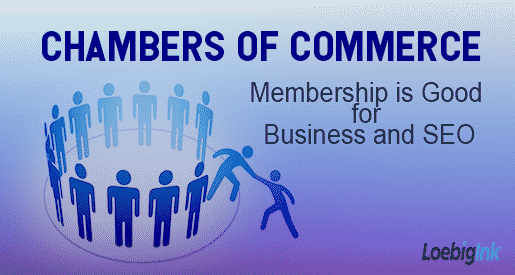
Membership is Good for Business and Search Engine Optimization

Have you considered joining a chamber of commerce? Membership in a local chamber offers numerous benefits. The basic purpose of a chamber of commerce is to create a vibrant business environment in its area and/or for its target population. Each organization is different, but you can expect that each will offer programs, events, and growth opportunities for its members while serving as an advocate for business interests in the region. Here are a few of the reasons you should consider joining:

Networking: Joining a chamber of commerce is a great way to learn about others who are doing business in your area. The more other business owners know about the goods or services you offer, the more likely you will discover creative ways to collaborate. Interact with chamber members, potential members, and others at open events, and you are paving the way for opportunity.

Referrals: As you meet other members of a chamber and get acquainted with their businesses, when they hear of someone who needs a service that you provide, they are likely to pass it on to you. As such referrals are returned, it’s good for business all around.

Social Opportunities: It doesn’t always have to be about selling. Many chambers offer low-key social events for members and friends. Just getting to know new people in your community can be as helpful as it is enjoyable. Social connections and visibility matter a lot and can lead to business down the line.

Staying Up-To-Date: One of the functions of a chamber of commerce is maintaining an awareness of issues affecting the various businesses in the area. Your membership will ensure you stay aware, which will help you make good business decisions.

Public Perception: Businesses that belong to chambers of commerce tend to command greater trust than those that don’t. Banding together in a respected organization multiplies respectability and positive reputations for everyone.

References:

Demitropoulos, B. (May 4, 2012). Why Join Your Local Chamber of Commerce. The TJB American Business Magazine, Retrieved from http://www.americanbusinessmag.com/2012/05/why-join-your-local-chamber-of-commerce/

Larson, D. (May 5, 2015). “6 reasons why businesses should join a local chamber of commerce,” Daily Herald,

Be Secure

Time to Convert Your Site to HTTPS

light green padlock image, text: Be Secure - Time to Convert Your Site to HTTPSIf you’ve been aware of the news cycle at all in recent months, you have heard a lot about internet security and the myriad ways it might fail us. Google Chrome has taken one step toward greater security that we would all do well to heed. In July 2018, if you visit any website that does not use HTTPS encryption using Chrome, a “NOT SECURE” warning will be displayed. It is a good time for all of us to update our technology to get in step with this new development.

What is HTTP and HTTPS?

If you look at any web address in your browser, you’ll see that most display beginning with either http:// or https:// such as:

http://theinkblog.net/   or  https://theinkblog.net/.

HTTP (Hypertext Transfer Protocol) describes the way information exchanged between a user and a website will travel. In the case of HTTP, the information is sent in plain text. If someone were to intercept the data – be it anything from a simple “Hello!” to credit card numbers – it could be read easily. The information that is even simply being viewed by the user is also subject to interception. HTTPS, on the other hand, stands for Hypertext Transfer Protocol Secure. This protocol facilitates a secure pathway through which information can travel, with encryption that makes the exchange difficult to discover and decipher.

In the past, security on this level was not considered important except in the case of monetary exchange or other specifically private matters. HTTPS is soon to be the standard across the board. It is best to begin making the change now to ensure your site will remain trusted by search engines and visitors alike.

What Do I Do Now?

In order to give your site the new standard of security, you’ll have to acquire an SSL/TLS certificate. SSL (Secure Sockets Layer) and TLS (Transport Layer Security) work together to both authenticate the identity of the person holding the certificate and to allow for the transmission of encrypted information. You can get your certificate from a number of places. A good place to start is with your web host or domain registrar.

There are currently three main types of security certificates to choose from: A Single Domain certificate will secure only one domain or subdomain. A Wildcard certificate will secure a single domain along with all of its subdomains. A Multi-Domain certificate will secure more than one domain. Take the time to consider the setup of your current website as well as future goals before choosing which type of SSL/TLS certificate to obtain.

After you’ve followed the directions specifically for the activation of your security certificate, there are follow up efforts that need to be made to make sure everything is in working order. So that the tasks don’t seem overwhelming,  break it down into steps. Here are some of the things you’ll need to do:

  • If you are using Google Analytics, update it for the HTTPS version of your site.
  • Reestablish your link between Google Analytics and Google Search Console using the updated web address.
  • Add the HTTPS versions of your web address to Google Search Console. That is, if you’ve already verified http://website.com and http://www.website.com, add https://website.com and https://www.website.com.
  • Submit your sitemap for the secure, resolving version of the web address.
  • Use 301 Redirects to point the HTTP versions of each page to the new analogous HTTPS versions in order to eliminate broken links due to the update.
  • Update your robots.txt file so that all your pages will be crawled by Google.
  • Keep your security certificate up to date.

Updating to HTTPS will not only keep your information safer. It should also increase load time of your pages. It will help your SEO as search engine visibility is expected to suffer if you are still operating with an outmoded setup.

The above points are the basics of what you’ll need to do to make the change from HTTP to HTTPS. The list is not exhaustive, so do keep an eye out for and take care of any other details specific to your website. If you’d like help along the way, contact Loebig Ink. We’d be happy to help you navigate this important process along the way.


Resources:

Podcast Review: Unknown Secrets of Internet Marketing

iPhone with ear buds - Podcast Review - Unknown Secrets of Internet MarketingLearning about and implementing SEO is not a one and done operation. It is a great start to get a handle on basic SEO definitions and to optimize your website using best SEO practices, but as the emphases of search engines change, there is always something new to learn. SEO podcasts can help you stay aware of the latest developments.

One of our favorites is Unknown Secrets of Internet Marketing by eWebResults. In the spirit of full disclosure, we admit that we here at Loebig Ink are superfans of these guys (and it’s not just because they read Brian Loebig’s letter and called him a genius on SEO Podcast #396!). That said, we are not alone in our fandom; it is the #1 SEO podcast on the internet. What is it that makes this weekly podcast from eWebResults so worth the listen? It is always chock full of content that can immediately be put to work in your professional or personal SEO efforts.

Current hosts Chris Burres, eWebResults Owner, and Matt Bertram, lead Digital Marketing Strategist, usually kick off the episode with a friendly “Howdy!” from their company headquarters in Houston, TX. They give us a brief takeaway from the main focus of the previous episode before moving on to industry news, reviews, and other smaller points of discussion. All the tidbits covered in this introductory section of the show are called the “potatoes” of the podcast.

On to the “meat” of the podcast: With 414 episodes and counting, you are guaranteed to find answers to questions you’ve had in mind, to learn about search engine algorithm shifts that affect best SEO practices, and to gain knowledge about aspects of SEO you didn’t even know you needed. Topics are often inspired and informed by articles found at Search Engine Journal and elsewhere around the web. Recent titles include “15 Link Building Tactics to Supercharge Your SEO Efforts NOW,” “4 SEO Tasks You Need To Be Doing Today, But Probably Aren’t,” “How Does Google Rank Your Website?” and “4 Steps to Crafting the Perfect SEO Title Tag.” The conversations are kept interesting as the hosts expound on points made in the feature article while not being afraid to at times disagree (with the author and sometimes each other). All of this is delivered with a sense of humor and an entertaining format that makes this podcast unique.

The fun factor of Unknown Secrets of Internet Marketing is much better heard than explained. Catch them on Facebook Live on Friday afternoons or download from iTunes or wherever you get your podcasts. Hear the “Results Rebels” encourage you to share, like, and follow them (That’s “shikow” in their parlance). Find out why a “punch in the face” is much better than a “kick in the shins,” and if you explore old episodes, you can get down with the rhymes of former co-host Charles Lewis, aka The SEO Rapper. If you become a regular listener, you may find yourself singing along with their theme song, “Goldmine” by Circle the Cat.

We give Unknown Secrets of Internet Marketing an emphatic FIVE STARS! Check it out to learn or refresh basics, to keep up to date with what’s new, and to be part of the ever-evolving world of SEO.

Chris Burres reads and responds to a question about Google Knowledge Graphs sent in by Brian Loebig (Begins at 5:40)

Optimize Your Blog

Blog Writing Best Practices for SEO

Optimize Your Blog - Best Practices for SEOWhen you’re trying to keep up to date and make sure your website is the best it can be, it is easy to get caught up in the many possible tasks you can take on to effect improvements. Making sure the site is mobile-friendly, eliminating bulky images that slow download time and exercising due diligence to understand your competitors and what makes them successful are all relevant efforts. However, there is one thing you should make sure not to lose sight of in the mix: always keep your content in the forefront of your mind.

Fresh content is a must. It makes a lot of sense to update your main pages with new information to keep your audience informed. But beyond those changes, adding regular quality content is a big step along the road to high search engine ranking. If you are taking the time to make strong, consistent blog posts, give it a little more forethought and make sure your SEO is up to the task as well.

Once you have decided on your topic for a new blog post, consider the primary keywords for which you intend to rank. Don’t force-fit keywords; make sure the one you choose flows easily and fits well with the main focus of your post. If you have a pet care service in Hoboken, NJ, for example, you may decide to write a story about walking dogs during owners’ working hours. If you then choose “dog walking” as your focus keyword, you’ll want to make sure to use it in all the ways that will give you maximum SEO benefit. Here are your next steps:

Write great content. Think first of the reader, rather than Google. Make sure that the person who lands on your page will find your content relevant, entertaining, heartwarming, or whatever your goal is for the piece. Using at least 500 words makes it better for SEO. If you can write a longer article all the better, as the trend is moving toward longer articles for higher search engine ranking. A 1,000 to 1,500-word article that is authoritative, engaging, and well-focused on a topic relating to the target keyword will not only please your readers but will signal to Google that the web page is worthy of ranking.

Add the keyword to the text of your blog post. Make sure you use the keyword in the text two to three times. If you’ve chosen your topic well and matched it to a strongly associated focus keyword, this should be a seamless effort. Be careful not to use the keyword too many more times than the recommendation. Search engines will penalize keyword stuffing.

Use your keyword in the H1. The H1 is the main heading of your blog post. If you’ve chosen “dog walking” as your keyword, your H1 might be “Dog Walking in My Favorite City.” Using the keyword as close to the beginning of the heading is best. “Dog Walking in My Favorite City” is stronger for SEO than “100 Other Things I Love to Do While Enjoying Dog Walking in the City.” If it is not too awkward, you can use the target location in the H1 as well, as in “Dog Walking in Hoboken, My Favorite City.”

Use your keyword in the meta title and the meta description. The meta title appears in the tab of your web browser. You will also see it as the bold, blue title at the top of a Google search result. Next, write a meta description that gives a brief glimpse of what will be found in the blog post. This meta description will not be visible at all on your website but will appear below the meta title in a Google search result. Again, it is important to use the keyword and local modifier close to the beginning of the metatag. Here is an example of a meta title followed by a meta description:

Dog Walking Hoboken – Pet Care in the City

Looking for dog walking in Hoboken? We care for dogs, cats, and even some exotic pets while you’re at work or out of town. Call us at (201) 867-5309.

dog walking Hoboken - Google Screenshot

Link up. Find related content within your website and link to it from your blog post. You may want to provide a link to your About or Contact page, or you may reference a previous blog post and want to make the connection. Whichever links you choose, one to two internal links should be the maximum. Next, link to an outside, high authority website. Good possibilities for links that would make sense in the course of our hypothetical blog post would be Dogster or PetSmart.

Finishing Touches

Use images and ALT tags. Adding images and other media to your blog post makes for a pleasant experience for your readers, but it is also good SEO. Use at least one image in your blog post and find the area where you can add background information for the image. In the space labeled “ALT tag,” write a brief description of what is depicted. In this space, using the exact keyword is not ideal unless it is truly in the interest of the description. “A man with a standard poodle on a leash” or “children petting a dog on Washington St.” are examples of typical ALT tags.

Categorize and tag your post. Some popular blogging platforms such as WordPress and Wix give you the opportunity to create categories that describe your blog topics. You can also tag a few people or terms in the blog article that it makes sense to highlight. Choose a category and tags that are consistent with your keyword choice. A thematic category might be “Dog Care.” Tags might include more specific things like “North Jersey,” “pooper scooper,” and “Cesar Millan.”

Check your speed. Make sure you have the edge over the competition by keeping your mobile website up to speed. Use Test My Site to see how your rates. Test My Site, a Think with Google tool, offers optimization tips to help you if the text shows that your site has room for improvement.

Submit the blog to Google. Once you finish with your changes, submit the URL of the blog article using Google Search Console’s URL Inspection Tool. This helps the pages of your website to be more easily found and indexed by Google. Here’s how to do this easily, but easily overlooked step: https://loebigink.com/how-to-use-the-url-inspection-tool/.

Share it! After you have finished all the steps it takes to complete a great blog post, don’t forget to share it on social media. Raise awareness about your blog and get people talking about your web content on Facebook, Twitter, Instagram, and other places online. Those who are interested in what you have to say may mention you on the web and create links back to your website, which is very valuable to SEO. The more buzz, the better! By following these guidelines, you will have a blog set up for success.

Read more about efforts you can make to improve SEO in our previous post, The SEO 80/20 Rule.

Resources:

searchenginejournal.com/4-important-ranking-factors-according-seo-industry-studies/184619

searchenginejournal.com/se-ranking-seo-tasks/229783/


The SEO 80/20 Rule

Get the Most for Your SEO Efforts

The SEO 80/20 RuleIf you are an entrepreneur or business owner, you are undoubtedly a very busy person. You know that search engine optimization is essential to achieve visibility for your website, and a multitude of consultants and web service firms have advice on all of the things you need to do for great SEO. You likely have heard or read about how to improve your site from those with the most general of guidelines to those with the most niche-specific services such as PlumberSEO.net.

Avoid being overwhelmed by work and information by applying the SEO 80/20 rule. As it is with the balancing of priorities in many aspects of life and business, about 80% of results will come from 20% of your SEO efforts. Here is a list of common optimization tasks with the most critical 20% at the top of the list.

Make These Your SEO Priorities

  1. Develop regular, quality, well written content.
  • Make your website content original, well written, and useful to your target audience. Update on a regular interval to keep your site fresh and your audience engaged.
  1. Select the best keywords for your site.
  • Identify 5 to 10 keywords (usually phrases of 2-3 words) that you want your business to show up for in search engines.
  • Evaluate the popularity of your selected keywords using a tool such as SEMRush or Google Keyword Planner.
  • Use your selected keywords in your content. You can add keywords to older content by editing them in where they would most naturally appear. But don’t overdo it! Keyword stuffing can result in lower SEO results. Use of your target keyword 2-3 times per page is ideal.
  1. Create internal, contextual links to important pages of your website as often as possible.
  • Create links to important content by linking the words that best describe that content. Avoid linking a page to text that uses generic language such as “click here.”
  1. Optimize your website title and metatags.
  • Ensure that each page has its own unique title tag with keywords relevant to the content on the page.
  • Include H1 and H2 metatags on each page. Use only one H1 metatag per page. Include keyword, title, and description tags unique to each page.
  • Read SEO Definitions for more on metatags.
  1. Make sure your site is mobile-friendly.
  • If you have an older site that has not yet been updated for mobile, do that now. Google penalizes sites that don’t provide a good mobile user experience.
  • If you are building a new website, make sure the developer creates a mobile-friendly site from the start. Alternatively, use a platform like Wix that does so automatically.
  1. Claim or list your website in the top local directory and review sites in your industry.
  • Google My Business is a must! Get listed in other directories including Yahoo Local, Angie’s List, Yelp, and your local city/town/regional directory.
  • Choose the best local review site for your business. If people are already reviewing your site on a directory, claim that listing!
  • Determine the most important review sites in your specific industry and obtain listings. For example, if you own or manage a car dealership, Dealer Rater is where you want to be.
  1. Discover and use the social media channels that your customers use.
  • Understand your clients’ demographics and social media use. If they are on Facebook, Twitter, Instagram, or Snapchat, keep a presence there.
  • Choose the intervals on which you will post to those channels, and maintain the schedule.
  1. Keep it speedy!
  • Speed optimization is easy to forget, but doing so could greatly reduce the effect of all the other hard work you’ve done. Use tools like Test My Site and Pingdom to discover your website’s load time and what you can do to make it faster.

Additional Useful SEO Activities

The following optimization list doesn’t make our top 20% of the SEO 80/20 rule, but do what you can, when you can.

  1. Canonicalize your domain. (Read Matt Cutts’ discussion on canonicalization.)
  2. Add sharing tools to your website.
  3. Put deep level navigation links in the footer of all pages.
  4. Optimize website images with descriptive ‘alt’ text.
  5. Add 301 redirects for pages that have changed or no longer exist.
  6. Register your site with Google Search Console and Bing Webmaster Tools.
  7. Replace dynamic URLs with URLs that contain relevant keywords.
  8. Install an xml sitemap for your website.
  9. Create an hcard on the contact page or footer of your web pages.
  10. Claim every relevant free local directory listing.
  11. Create multiple web pages that are optimized for local city search results.
  12. Block duplicate content with robots.txt.
  13. Create a blog or write articles and submit them regularly to an article directory.
  14. Conduct a ‘black list’ check of the server where your website is hosted.
  15. Find opportunities for .edu and .mil sites to link to your website. [Ask us how!]
  16. List your website in social bookmarking sites such as digg.com and stumbleupon.com.

Use the SEO 80/20 rule to get the most out of your time and your SEO efforts. Experiment to see which of these tasks brings you the best results. Which SEO activities are at the top of your list?

remove-button magnifying-search-lenses-tool