banner_slide_img1

Loebig Ink is a small business consulting firm
fueled by coffee, creativity and music to provide
SEO, web design and social media solutions.

Let’s Review!

Boost Your Visibility with Customer Review Sites

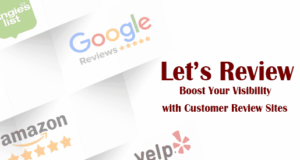
Let's Review - Google Reviews, Amazon, Yelp, Angie's List logosHave you been avoiding using review sites? At first blush, it is understandable. If you give people ideas about leaving you a review, it’s just as easy for a disgruntled customer to leave a one-star complaint as it is for a happy customer to rave about you. However, it’s time to stop hiding from the review site scene. Avoiding review sites is like avoiding driving a car in favor of a horse and buggy, believing that you can be more seriously injured in an accident with a car. Yes, you can get hurt, but you’ll also get to where you’re going ten times faster. Similar to driving a horse and buggy on a highway, you can also get hurt by the fast moving traffic while you hold on to an old style of transportation. A business trying to avoid review sites will get passed by other businesses who have learned to navigate those sites. Review sites are here to stay. Learn to pay attention to them and leverage their use to help improve your overall SEO.

Places to leave reviews on the internet abound, so to boost your visibility with reviews, start out considering several that are most relevant to your brand. If you are an attorney, it is a good idea to claim and optimize a listing on the Avvo directory. If you’re a musician, reviews on iTunes will be excellent. Don’t miss out on other major sites where it would be of benefit to be seen, such as Yelp, Angie’s List, Epinions, and Amazon. Claiming and optimizing your Google My Business listing is indispensable in terms of SEO value. Some sites that deal in reviews and ratings encourage you to upgrade to a paid ad or listing. That decision is up to you, but consider that often maintaining a simple presence there and encouraging reviews goes a long way.

The next step is to get the word out. Don’t beg or browbeat for reviews, and don’t give clients suggested text to use. The key is to make all the ways someone can leave a review abundantly clear, provide a great product or service, and then encourage feedback, in their own words, from the people who care about what you do. Getting creative could be a boon for positive reviews. One great example is the eWebResults Unknown Secrets of Internet Marketing podcast, which does a terrific job in each episode of letting listeners know how to find them, where to chat about them on social media, and they even create a contest involving the information on how leave a review. However you do it, keep the links to your review sites visible and readily available. Parlay reviews into fresh content on your website for added value.

So fear not! Yes, it is possible that someone may leave a fake or negative review, but many more are likely to leave real reviews that lend credibility to your business. Give them that opportunity. In a 2015 Nielsen poll, 66% of respondents said they trust consumer opinions posted online. This statistic alone is reason enough. Get in the fast lane and get visible with review sites!


SEO Audit for Improved Visibility

SEO Audits for Search Engine VisibilityThere is more to good Search Engine Optimization than simply adding helpful keywords to your web pages. On page SEO is important, but backlinks, efficiency, and a series of other elements all play a part in whether your site will be seen or if it will be lost in the internet abyss. One extremely useful exercise to help improve your visibility is an SEO audit. For best results, take a preliminary look at your website for these eight main factors, then enlist the support of a professional SEO for a comprehensive SEO Audit. Here are the questions you should ask to begin putting your website through its paces.
  1. Evaluate the overall User Experience (UX) and check the key functionalities that all business websites should have in order.
  • Is there a phone number in the header and footer?
  • Is there an address and contact info in footer?
  • Is the navigation understandable?
  • Are key calls to action clear?
  • Are the business purpose and services clear?
  • Is there a contact form on the website?
  • Is the site mobile friendly?
  1. Is the Content Management System (CMS) set up and working properly?

Take a look behind the scenes at the design and setup of the website content management system. Is it ready to accommodate changes you’ll be making as you move along the optimization process?

  • Is an SEO plugin installed and setup properly?
  • Has Google Analytics been installed?
  • Is the metadata accessible for pages and posts?
  1. Is your metadata in order?

Is your site using default metadata, or has it been crafted for best results? Take notice of the presence and quality of the title tags, description tags, H1, and ALT tags.

  • Have metatags been entered for all pages and posts?
  • Is there only one H1 on each page?
  • Are the title tags and meta descriptions unique for each page or post?
  1. Are your metatags and content optimized?

Simply having metadata and keywords on your site is important, but without these being optimized, they won’t be doing their full duty. Basic SEO questions to ask are

  • Have you chosen one focus keyword per page?
  • Have you used the keyword in the H1 (main article heading) and toward the beginning of the title tag and meta description?
  • Did you use the focus keyword at least two to three times in the page content?
  • If you’re working with a WordPress blog, did you select 2-4 “tags” and a “category” choice that are consistent with your keyword?
  • Have you included ALT tags on all your images?
  • Once your optimization has been completed, have you resubmitted the XML sitemap?
  1. How is the load time efficiency?

Measure the website’s mobile friendliness and page speed. Is the loading time ok? Try these tools to find out:

  1. Have you completed the website architecture?

This is a technical portion of the assessment during which you should review website elements including canonicalization, blocking factors such as flash and frames, and more. Other important factors to consider include

  • checking page URL construction
  • confirming or performing Authentication with Google Search Console
  • assessing the presence and completeness of an XML sitemap and robots.txt file
  1. What is the state of your Domain Authority, Traffic Rank, Trust Flow, and Citation Flow?

These measurements gauge and help determine a site’s ranking potential and overall authority as a trusted site on the web. We use Majestic to answer questions such as

  • What is the current Trust Flow?
  • What is the current Citation Flow?
  • Are the Trust and Citation Flow scores balanced?
  • Are backlinks to the site healthy or spammy?
  1. What is your backlink profile? Do you have broken links? Is there anywhere you have been blacklisted?

It is important to determine if there are any inbound links that could be causing harm to your Google rankings and if your site is being penalized by any Internet Service Providers.

Inevitably, questions will arise as you move through your website to discover what has been done, which elements need work, and where you need to start from the very beginning. During our comprehensive Web SEO Assessment Audit, we take a deep dive with these questions and beyond to determine the areas where your site can improve. We will provide you with recommendations and can even give you pointers on content strategy to help you make your overall presentation shine. Find out more about our SEO services, get found by the most important search engines, and increase your visibility on the web.

SEO Definitions – What is SEO?

Learn the Language of Search Engine Optimization

SEO Definitions, magnifying glass illustrationIn this Information Age, it is common knowledge that to succeed in business or to get the word out on any project or cause, your website is vital. Not-so-common knowledge, however, may be the details of how to make your mark online. Search Engine Optimization (SEO) is one of the essential ingredients to getting your website seen. If you’ve heard about SEO but aren’t clear on the terms and tools, here are some definitions to get you started.
  • SEO: Search Engine Optimization is the process of helping website pages show up in a search engine. It is achieved through the use of keywords, links to and from other sites, and additional methods of signaling to search engines that a site and its content are relevant.
  • Web Server: A computer connected to the internet that contains your website.
  • XML Sitemap: An index of all the primary pages on a website that resides on the web server.
  • Google Search Console: Formerly known as Google Webmaster Tools, this website resource from Google can be connected to a website, through a process called “authentication” to help index web pages, identify website errors, select a target country for the website, analyze backlinks, and more.
  • Robots.txt: A file that is connected to a website and provides instructions for a search engine to index or ignore pages and directories in a website.
  • Majestic: A backlink analysis website that also measures a website’s authority, backlink profile, and internet citations.
  • Screaming Frog SEO Spider: Downloadable software that lists all the web pages and metadata of a website.
  • Metatag: Website coding that is used in SEO to help optimize a website for search engines. The primary metatags used are H1, H2, Title, and Description tags.
  • H1: HTML code for Heading 1, a header tag. This metatag is used to denote the main heading of the page and should appear at the top of the web page. For SEO purposes, there should be only one H1 on every page.
  • H2: HTML code for Heading 2, a sub heading tag. This metatag is used to denote a secondary heading on a page and should appear below the H1. For SEO purposes, there can be several H2s on each page.
  • Title Tag: The information that appears in the tab of a web browser. This metatag is also the main title that appears in a Google search result.
  • Description Tag: Also known as a “meta description,” the description metatag should succinctly describe what a page is about. This tag is not visible on a web page, but it does appear below the main title in a Google search result.
  • Disavowing Links: The process of telling Google that spammy or harmful links to a website are neither intentional nor wanted, and that they should not be counted against the website for ranking purposes.
  • Google Analytics: A free tool that measures website traffic, visitor behavior, and other data for a website.
  • Keyword: A word or phrase chosen as the focus for each web page. A good keyword is directly relevant to the page content and when entered into search engines, will return results closely comparable to your website. An SEO strategy will use keywords in metatags and page content.
  • Google Keyword Planner: A tool accessible through Google AdWords that allows a user to see the search volume, average cost per click, and other data related to keywords.
  • CPC: Cost per click. This is the amount Google advertisers are paying on average when using a given keyword in Google AdWords. It is an indication of how popular the keyword is with competitors.
  • Search Volume: This metric shows how popular a search term is on Google. It is usually expressed as the average number of unique searches per month.
  • Keyword Difficulty: This is an estimate of how difficult it would be to seize competitors’ positions in organic search with a particular keyword. The higher the number, the more difficult it would be to seize competitors’ positions. (Scale is 1 – 100%)
  • Competition: This metric, in the Google Keyword Planner, is the level of competition in Google AdWords. The higher the number, the greater the competition. (Scale is zero to 1; 0.50 = 50%)

There is a lot to learn about SEO, so don’t be discouraged if you still have many questions about these brief definitions. It is an ever-changing field, and even seasoned SEO experts are busy keeping up with the latest concepts and techniques. Consider this a basic SEO overview, and stay tuned to this blog for more information. Get in touch with the Loebig Ink SEO Team to schedule a live website assessment to find out what Search Engine Optimization can do for your site.

SEMRush SERP Feature Definitions

What do all those little SERP Feature icons mean?

If you work with or receive organic research reports from the competitive research service SEMRush, you may have noticed the recent appearance of a series of new icons.  Located just to the right of your keywords, the SERP Features symbols are there to give you information about the types of results that come up for the keyword on a Google Search Engine Results Page (SERP) which are different from traditional organic results. If you see one of these symbols next to a keyword, it means a special type of result appears in a search for that keyword. Let’s take a look at what these various symbols represent.

First, what is an organic result? The simplest way to describe an organic search result is that it is a “regular”, non-paid, result that is returned by a search engine because of its relevance to the search terms. An organic result is a general listing and does not appear as a result of paid advertising. SERP Features are organic or paid results that appear in newer, increasingly important ways that can help drive traffic to your site.

Here are the SEMRush SERP Features icons currently in use and what they mean:

SEM Rush SERP Icons

Featured Snippet – A Featured Snippet provides a brief answer to a question asked within Google. SERP Feature Featured Snippet Example…

Local Pack – The Local Pack is a distinctly presented group of results referring to businesses or other points of interest near the location where the search was performed. SERP Feature Local Pack Example…

Reviews – If you operate a commercial business, the Reviews SERP Feature may be available to you. This type of listing includes your star rating and number of reviews displayed beneath your link. SERP Feature Reviews Example…

Site Links – This feature provides targeted internal links as well as link to the main page of the domain. SERP Feature Site Links Example…

Featured Video – A Featured Video will show up on a SERP at the top of the page. SERP Feature Featured Video Example…

Video – A Video may also show up not at the top of the page, but elsewhere farther down in the search results. SERP Feature Video Example…

Top Stories – Keywords related to current news may show up in the display called Top Stories, which is gathered from news sources worldwide and then tailored to individual readers’ interests. SERP Feature Top Stories Example…

People Also Ask – The People Also Ask expandable grid box offers a list of questions relating to your keyword along with additional search results. SERP Feature People Also Ask Example…

Images – A series of images relating to the keyword are available on the SERP. SERP Feature Featured Images Example…

Tweet – Links from Twitter are included on the SERP. SERP Feature Tweet Example…

Instant Answer – The Instant Answer SERP Feature appears when Google has a clear and definitive answer for the question being asked. SERP Feature Instant Answer Example…

Knowledge Panel – Using information gathered from a Google database of trusted sources, a Knowledge Panel offers an extensive answer to a question. SERP Feature Knowledge Panel Example…

Showcase Shopping Ads – Shown above any paid search ads, Showcase Shopping Ads show search results for non-branded search terms and present a collection of relevant products. SERP Feature Showcase Shopping Ads Example…

AdWords Top – This means that AdWords ads have been purchased that relate to your keyword and appear at the top of the SERP above organic results. SERP Feature AdWords Top Example…

AdWords Bottom – This means that AdWords ads have been purchased that relate to your keyword and appear at the bottom of the SERP below organic results. SERP Feature AdWords Bottom Example…

Keep in mind that if you see a SERP Feature icon next to your keyword, it doesn’t mean that your keyword is already featured on SERPs in that way. An SEMRush SERP Feature icon means the keyword has been featured in that form somewhere on the Internet! Consider taking that information as your inspiration to explore new and more effective ways to be seen online. If you’re ready to step up your marketing strategy and want to learn more about structuring your content for SERP Features, reach out to the Loebig Ink SEO Team for a personalized strategy session.

Benefits of Claiming and Optimizing Your Google Business Profile

Benefits of Claiming and Optimizing Your Google Business ProfileFor SEO purposes, claiming and optimizing the Google Business Profile listing creates a strong signal to Google that your business is active and allows you to rank higher in local Google searches for your industry. Google has a strong preference for local searches which allows small businesses to compete with national brands when someone is searching for a business or services from your community. Prominently featured Google Local Pack results are populated by businesses that have Google Business Profile listings. The more accurate and active your listing, the more likely you will appear on page one for your industry locally!

Here are some of the top benefits and reasons to claim your Google Business Profile listing:

  1. Claiming and optimizing your listing allows you to manage the information that Google users see when they search for your business or the products and services that you offer. When you verify your information with Google Business Profile, you are *twice as likely to be considered reputable by consumers (source: Google).” Also, when people find your business on Google Maps and Google Search, you can make sure they see the right information including hours of operation, website, and street address.
    1. NOTE: If you are a home-based business or if you serve customers at their location, users will just see a red line encompassing your chosen service area.
  2. Claiming the Google Business Profile listing will allow you to read and reply to reviews from your customers and post photos related to your business such as the logo, business owner, office building, ad graphics, products, etc.
    1. NOTE: *Businesses that add photos to their listings receive 42% more requests for driving directions on Google Maps and 35% more clicks through to their websites than businesses that don’t. (Source: Google)
  3. You will also be able to see detailed insights on how visitors have searched for your business and where those customers searched from. You will see information including how many people have called your business from the phone number listed on local search results in Search results and Google Maps.
  4. Many people use the Google Maps app for driving directions. Ensuring that your address is correct will allow them to easily navigate to your location from their mobile device.
  5. Making sure the phone number is available and valid will also allow customers to call your business directly from the Google Search results page. If they are searching from a mobile device, they can tap directly on the phone number and call.
  6. Your Google business listing is considered a primary data source by many data aggregators and directory listing services such as Moz.com and Yext. Ensuring your listing is accurate and up to date will help improve and validate your other directory listings.

CHECK OUT: How to Optimize your Google Business Profile Listing!

Alt Tags and the Importance of Labeling Your Website Images

Alt tags explained Loenig Ink When a client contracts with my business to do the search engine optimization (SEO) on their website, we discuss several aspects: titles, title tags and meta-descriptions. But there is one part that is a definite factor if I am to do my job as an SEO Specialist: adding alt tags (also known as “alt text”) to their photos in the website.

Alt tags are taken for granted and sometimes even skipped over by some SEO types. However, if your website is going to be truly “optimized”, then assuring that your images are tagged, is as important as copy and titles.

But, before we continue, let’s explain what an “alt tag” is: It is alternative text tagged to an image as a brief text-only description. It is usually applied to all the images embedded in a website.

Alt tags usually look like this: “chocolate blizzard Shake Shop Bethesda”.

Tags are very simply a brief description of what is seen in the photo (image). It does not need to be verbose or overly technical.

So, alt tags are simple search engine optimization techniques, yet they are crucial for any small business website for the following reasons:

  1. Alt tags are used by search engines to generate results. Those results may include photos which are tagged with the client’s business name on it. Google Images may include those tagged images at the top of its results.
  2. Alt tagged images that are linked are treated the same by most search engines the same way they treat anchor text. They are considered relevant content.
  3. Alt tags are an efficient way to use your website keywords, such as identifying products and services offered by your business. Your tagged images will appear in the search engine results with your company name on it.
  4. Gives you a leg up on your competitors who may not have tagged their images.

Now you know the benefits, here is how you need to use them properly:

  1. Use accurate keywords for the photo.
  2. Make them short. No keyword stuffing.
  3. Describe the photo first before tagging it with your company name.
  4. Don’t tag photos that are generic or that have no real value on your website such as question mark graphics or others that can be seen on any website. Tag images that are relevant from your website.

If you’re not sure about how to add the alt text, consult a search engine specialist. They can do an audit of your website and determine the best tags to use for each image.

Alt tags are crucial and should be a part of any website search engine optimization.

For more information on how you can optimize your website, contact us.  Loebig Ink specializes in SEO (Search Engine Optimization), copy writing and web design.

Save

Save

Save

Save

Save

remove-button magnifying-search-lenses-tool